NYMPH™ LIVE
Telemetry & Pressure Monitor v1.3.0.0
🏭 PRODUCTION PIPELINE:
 ⏳ Offline
⏳ Offline
⏳ Offline
⏳ Offline
⏳ Offline
🌐 LIVE HARDWARE:
No hardware connected
📦 ACTIVE VERSION MANIFEST:
Cradle FW: v1.3.8.0 • Serial FW: v3.4.4.0 • BLE FW: v3.4.4.0 • QA Test: v3.4.4.0 • ISO Cert: v1.2.0.0 • Suite: v3.4.4.0
CRADLE WS2812:
Housing (350mAh): 80% [Slow: 🟢🟢🟢🔴] • Delay: 400ms • Node (7mAh): 75% [Fast: 🟢🟢🟢🔴] • Stealth: OFF (0,0,0)
Slow=Housing • Fast=Node • 4-Beat Quarters • Stealth Auto-Dark
⚙️ NODE CONFIGURATION & DUAL-MODE TELEMETRY (v3.4.4.0)
ACTIVE TARGET SPECIES PROFILE
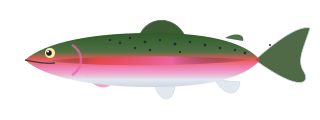
Rainbow Trout (Oncorhynchus mykiss)
United States • Freshwater • River / Stream
ACTIVE TACKLE & RIG DYNAMICS
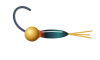
Perdigon Tungsten Nymph • 5X (0.15mm / 4.7 lb)
Tungsten Slotted Bead • Barbless Euro Jig
🔵 Hydrostatic Pressure
ST LPS27HHW
---
hPa
Differential Over Surface (ΔP):
---
Atmospheric Baseline (P₀):
---
🌊 Water Column Depth
±1 cm Precision
---
Meters
Imperial Depth:
---
Vertical Sink Velocity:
Offline
🌡️ Temperature
---
LPS27HHW Water Temp
🏹 3-Axis Accel (MC3630)
--- g
X: 0 • Y: 0 • Z: -1000 mg
🧲 Magnetic Hall Switch
STANDALONE
DRV5032 (No Magnet)
💧 Salinity / Water Pickup
Air / Dry (>9 MΩ)
Pad R: 9999 kΩ
☀️ Optical ALS / PS
---
STK3338-V Optical
🔋 Supply / Battery
---
DA14531 GP_ADC Rail
⚡ Casting Kinematics & Line Speed
ZUPT Damped
0.0
m/s
Peak Stroke Speed:
0.0 m/s
Estimated Cast Distance:
0.0 m (Last: 0.0 m)
🎯 Fly Presentation & Micro-Drag
150µs (0.015% Anti-Corrosion)
0°
FLAT (NATURAL)
Hook Shank Pitch & Roll:
Pitch: 0° | Roll: 0°
Micro-Drag Turbulence Index:
0% (Dead-Drift / Drag-Free)
🔬 Live 6-Sensor Hardware Verification Graphs (COM Port Stream)
🔵 1. Pressure
ST LPS27HHW @ 0x5C
---
ΔP: ---
🌡️ 2. Temperature
ST LPS27HHW @ 0x5C
---
ΔT: ---
☀️ 3. Optical Light & Prox
STK3338-V @ 0x67
---
PS: --- | CLR: ---
🏹 4. 3-Axis Accelerometer
MEMSIC MC3630 @ 0x4C
---
X:--- Y:--- Z:---
🧲 5. Hall Effect Switch
TI DRV5032 @ P0_4
---
Edges: 0
🔋 6. Supply / Battery Rail
DA14531 GP_ADC (4x Attn)
---
Core VDDD: ---
📈 Live Hydrostatic Pressure & Depth Plot
Pressure (hPa)
Depth (m)
Max Depth: ---
Min Pressure: ---
Max Pressure: ---
Packets Received: 0
📟 Direct USB Serial Feed (1-Wire UART @ 115,200 8N1)
🔴 COM PORT CLOSED
0.0 Hz
LIVE WEB SERIAL CONSOLE & 1-WIRE BOOTROM LOG:
[IDLE] No COM port open. Click "🔌 Select COM Port (USB Dock)" above and choose your dock port (e.g. COM9).
LATEST PARSED PACKET (ASCII):
[OFFLINE] Select a COM port above to open direct 1-Wire UART communication...
SAMPLE SEQ
---
ACCEL X, Y, Z (mG)
---
LPS27 RAW
---
OPTICAL PS / ALS
---
HALL EFFECT
---
BATTERY (GP_ADC)
---